
Your glucose,
right on your wrist.
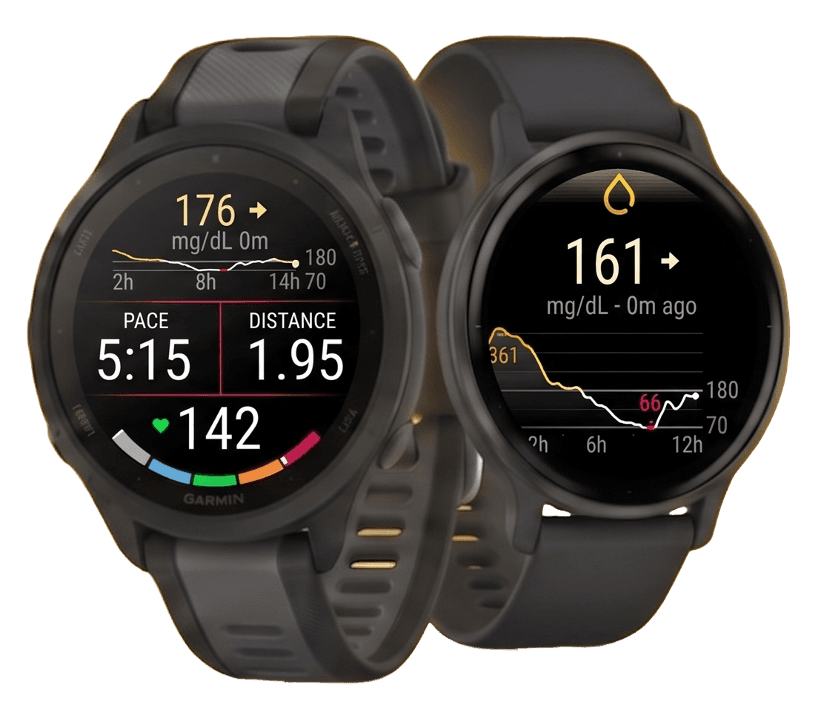
GGlance streams your FreeStyle Libre or Dexcom readings straight to your Garmin watch. A quick glance shows your number, your trend, and whether you're in range. No phone in hand.
Pick the app that fits.
GGlance comes as three Connect IQ apps: the app and the data field are free and always will be, the watch face is a one-time $4.99 purchase. Install whichever you'll use.
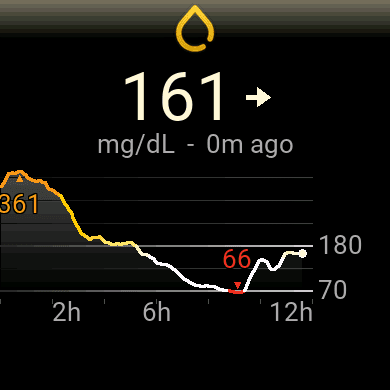
The app
Your glucose, trend and graph on a full screen, there the moment you raise your wrist.
Get the app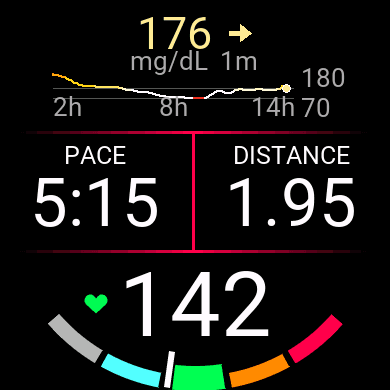
The data field
Your glucose live inside an activity, right next to your pace and heart rate, for runs and rides.
Get the data field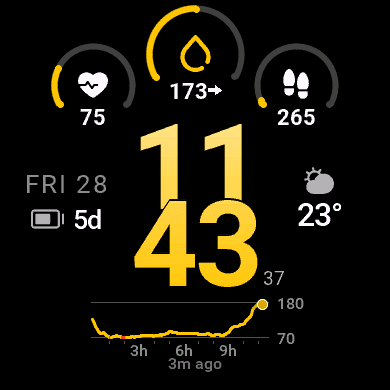
The watch face
Your glucose, trend and a history graph on the face you already look at all day. No app to open. Three layouts, nine colours.
Buy for $4.99Paid, one-time. Fewer watches support a custom face than support the app, check yours first.
Up and running in minutes.
Download the app, connect your Libre or Dexcom account, and set it up in Connect IQ. Here's the whole thing, start to finish.
Download the app
Grab GGlance from the Garmin Connect IQ store, no account to create. It lands on your watch in seconds.
Connect your sensor
On FreeStyle Libre, link LibreLinkUp to the LibreLink app that runs your sensor. On Dexcom G6 or G7, turn on Share. One time, then it stays in sync.
Set it up in Connect IQ
Open the Garmin Connect IQ settings, add your LibreLinkUp or Dexcom details, and set your target range. Then just glance.
Stay in your zone
without thinking about it.
- Color-coded at a glance
Green means in range, amber means high, red means low. You read it instantly, even mid-stride.
- Your own targets
Set the low and high thresholds that fit your day. GGlance respects your numbers, not a default.
- Your units, your way
Read your glucose in mg/dL or mmol/L, whichever you use day to day.
TIME IN RANGE · TODAY
People stopped reaching for their phones.
As a general practitioner, I find this super interesting for a lot of my patients. Amazing that you made this free.
This is absolutely amazing. I'm a nurse and will 100% be sharing this! Really love that you made this free. Thank you!
As a type 1 diabetic, this is a huge quality of life improvement. Easy to set up and works perfectly. It's now my first app and I added the data field to all my activities. You're a legend, man!
I'm T2 and have been using GGlance on my Garmin Venu. It is unquestionably the best app for getting BG results on my watch. Don't think twice or try any other app. This is the best!
I'm a Type 2 and this app is a game changer. Having a readout on the watch while I run is exactly what I needed and was missing from the watch. Overall super happy, the widget and data field are must-haves.
Best glucose app I've seen out there for Garmin. Quick and easy to download and set up, and it works really smoothly.
Has worked well for me so far with my Dexcom G7 sensors. I find it much more reliable than the official Dexcom app. Setup takes a little more effort, but the instructions were clear. Thank you for creating this app!
Great app, and a very friendly and helpful developer. I use it as a follower for someone who wears the Dexcom G7 sensor. I had setup trouble at first, but after I reached out, the app was updated within a few days and now runs smoothly.
A perfect app for tracking blood sugar levels in real time. The developer made the version I needed for my Garmin model available within a single day. Excellent!
Best widget for checking your glucose day to day. The smoothest and best-looking one out there. I use it every day with my FreeStyle Libre 2.
Easy to pick up, a smartly designed interface. It answers a real need and makes everyday life easier. I recommend it!
Tried it on my Forerunner 165 and hit a "bad server reply" error at first. After an update, it now works perfectly with my Dexcom G7.
It doesn't flag when the watch is disconnected, which makes the data easy to misread.
This is the perfect watch face for quick, unobtrusive monitoring of your blood sugar at work or play. It solves the only issue with the GGlance app, that you couldn't also see the time. I'm using the dashboard view: time, blood sugar, a 3-hour chart, heart rate, battery, steps and temperature, all nicely laid out and easy to read.
Hello, you need to add the minutes of the last sugar reading.
Read your glucose on your wrist today.
The app and data field are free to download and free to use, supported by people who believe everyone should be able to glance at their glucose. Install GGlance and never dig for your phone again.